Desk Setup Ideas: 12 Setups for Work, Home and Everything in Between

12 desk setup ideas, from minimalist and dual monitor setups to work-from-home and standing desk setups, plus the basics every desk setup needs
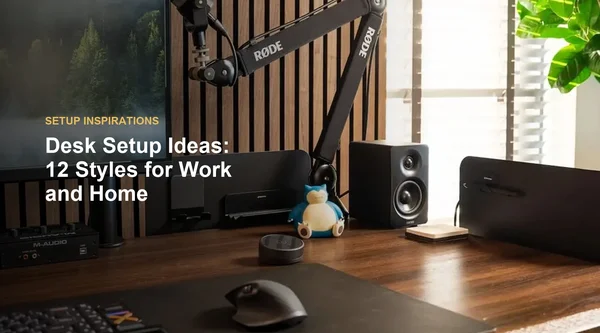
Table of Contents
Quick Answer
The best desk setup ideas start with the same basics: a monitor directly in front of you at a comfortable distance, a desk and chair height that let your elbows rest at your sides, good light and cables kept out of sight. From there, pick a style that fits how you work, whether that is a minimalist desk setup, a dual monitor workstation, a work-from-home corner or a desk you can use sitting and standing.
Key Points
· Get the basics right first: monitor position, desk height, light and cables.
· Choose a style by how you work, not only by how it looks.
· Use vertical space and under-desk space so the desktop stays clear.
· Small upgrades, such as a monitor arm or better cable management, change a desk setup the most.

What Does Every Desk Setup Need?
Every desk setup needs a well-placed monitor, a desk and chair at the right height, good lighting, and a plan for cables and storage.
· Monitor: OSHA, the U.S. Occupational Safety and Health Administration, recommends putting the monitor directly in front of you, 20 to 40 inches from your eyes, with the top of the screen at or slightly below eye level.
· Desk and chair height: OSHA recommends a posture in which your elbows stay close to your body and bend between 90 and 120 degrees.
· Light: OSHA recommends placing the monitor perpendicular to a window to reduce glare.
· Cables and storage: keep the power strip and spare cable length under the desk, and give everyday items a fixed spot.
For the right desk and monitor heights, see: The Proper Height for a Standing Desk
12 Desk Setup Ideas for Every Style
Use these desk setup ideas as a starting point. Each one lists what makes the setup work, so you can mix ideas from different styles.
1. A Minimalist Desk Setup
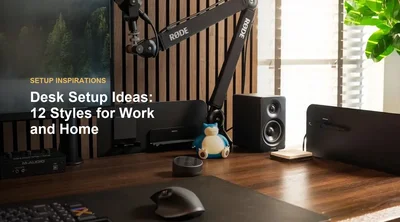
A minimalist desk setup keeps only what you use every day on the desktop: one monitor, a keyboard, a mouse and maybe a lamp. Everything else goes on a shelf, into a container or under the desk. Hidden cables matter most here, because a single loose cord stands out on a clear desk.

2. A Warm Walnut or Oak Setup
Wood tones make a desk feel warmer and less like an office. A walnut desk setup looks rich next to dark accessories, while lighter oak brightens a room with less daylight. Add a plant and a desk lamp with warm light to finish the look.

3. A Black Desk Setup
A black desk setup gives a clean, focused look and hides small marks well. Keep the palette tight, with black or dark grey accessories, and add one light source behind the monitor or under a shelf so the setup does not feel too dark.

4. A White Desk Setup
A white desk setup makes a small room feel brighter and more open. White shows cables easily, so plan cable management from the start, and use one accent color in your accessories to keep the look from feeling flat.

5. A Dual Monitor Desk Setup
A dual monitor desk setup gives you room for a main task and a reference screen. OSHA says monitors should not be farther than 35 degrees to the left or right, so center your main screen in front of you and angle the second one toward you. Measure both monitors side by side before you choose a desk width.
For standard desk widths, see: How to Choose Ideal Desk Dimensions

6. One Large or Ultrawide Screen
If you switch between windows all day, one large or ultrawide monitor can replace two screens with a single, uninterrupted view. Center it in front of your keyboard, and check that the desk is deep enough to keep it at a comfortable viewing distance. OSHA notes that very large monitors may increase the downward viewing angle.

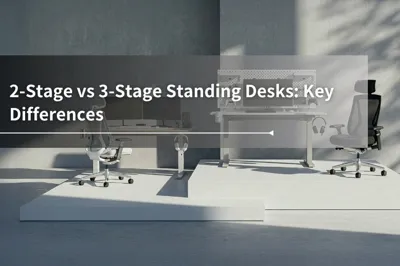
7. A Standing Desk Setup
A standing desk setup lets one desk work for both sitting and standing. OSHA notes that working in the same posture or sitting still for prolonged periods is not healthy, and suggests performing some tasks while standing. Among standing desk setup ideas, the most useful is to save your sitting and standing heights as presets, so switching takes one button.
For how long to stand each day, see: How Long Should You Stand at a Standing Desk?

8. A Work From Home Desk Setup
A work from home desk setup has to handle video calls as well as focused work. Put your camera at about eye level, face a window or a lamp so your face is lit, and keep the wall behind you simple. A good wfh desk setup also separates work items from personal items, so you can close the workday at a set time.
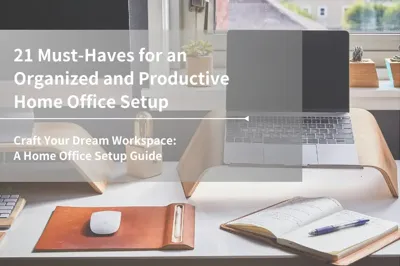
For the essentials of a home office, see: Home Office Setup Guide

9. A Desk for Work and Play
If the same desk handles work by day and games or streaming at night, divide it into zones. Keep your work desk setup on one side and gaming gear on the other, and use a monitor arm so you can reposition the screen for each task.
For gaming-focused ideas, see: Gaming Room Setup

10. A Pegboard Wall for Vertical Storage
A pegboard above or behind the desk turns wall space into storage for shelves, hooks and containers. It keeps headphones, cables and small tools within reach and visible, which is why it appears in so many cool desk setups.
For more pegboard ideas, see: Top Pegboard Setup Ideas

11. A Desk by the Window
A desk near a window brings in daylight and a view, but screen glare can get in the way. Place the desk so the monitor sits perpendicular to the window, as OSHA recommends, and use blinds or curtains to control bright light.
For layout options, see: Desk in Front of a Window
12. A Cable-Free Look
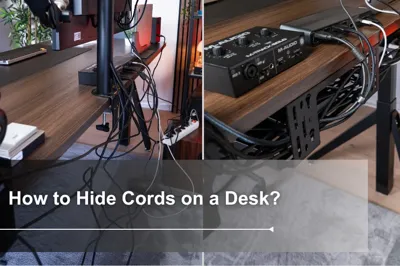
Nothing changes a desk setup faster than hiding the cables. Move the power strip under the desk, route spare cable length into a tray, and clip the cables you unplug often to the edge of the desk.
For step-by-step tips, see: How to Hide Cords on a Desk

How Do You Make Your Desk Setup Better?
Start with the upgrades that change how the desk works, then add the ones that change how it looks. These five make the biggest difference to any office desk setup or home office desk setup.
1. Add a monitor arm to free up desk depth and set the screen at the right height.
2. Hide the power strip and cables under the desk.
3. Set your desk and chair height so your elbows bend between 90 and 120 degrees.
4. Improve the light, with a desk lamp and the monitor placed perpendicular to the window.
5. Clear the desktop and give everyday items a fixed home on a shelf, board or tray.
If your neck gets sore during the day, see: How to Fix Tech Neck
Desk Setup Checklist by Style
Use this table as desk setup inspiration and match each style with what it needs most.
Style | What it needs most | Watch out for |
Minimalist | Hidden cables and closed storage | Clutter coming back without a daily reset |
Walnut or oak | Warm light and natural accents | Too many colors competing with the wood |
Black | A light source behind the monitor | A setup that feels too dark |
White | Cable management from day one | Visible cords against a light surface |
Dual monitor | Enough desk width and a centered main screen | Screens spread too far apart |
Standing desk | Saved sitting and standing heights | Cables too short at standing height |
Work from home | Camera at eye level and good front light | Work items spreading into living space |
Frequently Asked Questions
What is the perfect desk setup?
The perfect desk setup fits how you work: a monitor directly in front of you, 20 to 40 inches away, a desk and chair height that keep your elbows at 90 to 120 degrees, good light and no loose cables. The style on top of that is up to you.
What does every desk setup need?
A monitor at the right height and distance, a chair and desk at the right height, good lighting, a place to hide cables, and storage for everyday items.
What are some cool ideas for an office desk setup?
Popular office desk setup ideas include a pegboard wall for vertical storage, a dual monitor setup with a monitor arm, a cable-free look with everything hidden under the desk, and a standing desk you can use sitting and standing.
How do I make my desk setup better?
Start with a monitor arm, cable management, the right desk and chair height, and better light. Then clear the desktop and give each item a fixed home.
Which Dezctop Desks Fit These Setups?
Most of these ideas start with the desk itself: its color, its height range and where storage and cables go. Dezctop has two standing desk series built for this. Revon comes in wood and black finishes with a tabletop rail for magnetic organizers, and Bifrost adds a D-Board pegboard and a built-in cable tray, which suits ideas 5, 9, 10 and 12.

Revon: Wood and Black Finishes With Built-In Organization[CL1]
· Tabletop colors: Oak, Walnut and Ash Black, for the walnut, oak and black desk setups above.
· A built-in tabletop rail for adjustable desk dividers and DivMag magnetic accessories, plus pre-drilled holes for the cup holder, headset holder and Under Desk PC Mount.
· Five sizes from 47.2 x 27.6 in to 70.9 x 31.5 in.
· Revon Elite adjusts from 25.6 to 51.2 in; Revon Pro adjusts from 27.6 to 47.2 in. Both use dual motors and are rated for 264.6 lbs (120 kg).
Bifrost: Pegboard and Cable Tray Built In
· Five colors: Black, White, Walnut, Oak and Ash Black, for both the black and white desk setups.
· Optional D-Board pegboard back panel, with 3 panels on the 47.2-inch desk and 4 on the 63-inch desk; each panel holds up to 22 lbs (10 kg).
· A 19-liter fabric cable tray under the desktop with a hidden magnetic cover.
· The 63-inch desktop has enough space for two 27-inch monitors.
Accessories That Finish the Setup
· D-Board Monitor Mount: installs without drilling or wall studs, with 20° swivel and 90° pivot, for dual monitor and work-and-play setups.
· D-Board for Wall Mount: a wall pegboard that works above any desk and fits D-Board shelves, hooks and containers.
· Magnetic Cable Holders: keep cables you unplug often on the edge of the desk; fits cables up to 7 mm in diameter.
View the D-Board Monitor Mount
Tag




Dezctop