Gaming Room Design Ideas for Every Play Style and Space

This guide shows you how to design a gaming room that fits the way you play. It covers different styles and room sizes. You’ll also find practical advice on layouts, lighting and essential gear.
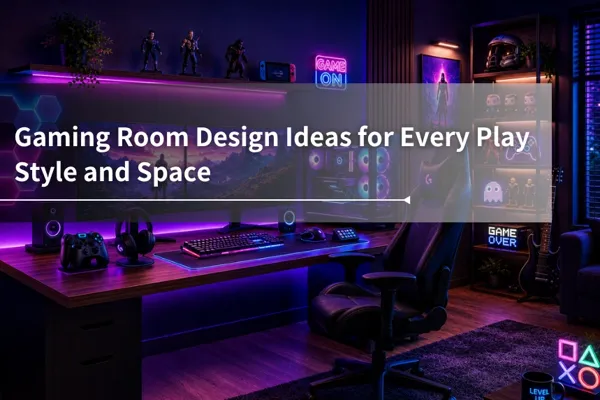
Table of Contents
A great gaming room setup starts with a style decision, not a shopping cart. Once you know the look you're going for, whether that's minimalist, neon-lit futuristic, retro arcade, cozy pastel, or fandom-themed, every purchase after that gets easier, and the room ends up feeling intentional instead of improvised.
This guide walks through five popular gaming room styles, with a practical "get the look" recipe for each, plus layout ideas for small or shared spaces and a checklist of the gear every style needs.

How to Choose Your Gaming Room Style
Pick your style before you buy anything. The most common reason a gaming room ends up feeling cluttered isn't a lack of budget. It's mixing purchases from three different aesthetics and hoping they blend. They rarely do.
Start by asking yourself two questions: how do you actually game (solo at a desk, couch co-op, streaming), and what feeling do you want when you walk in? Focus, energy, nostalgia, or comfort? Your answers point to a style direction.
| Style | Best for | Typical budget |
|---|---|---|
| Minimalist Modern | Focused solo play, work-and-game rooms | Moderate, fewer but better pieces |
| High-Tech Futuristic | Immersion lovers, streamers | Moderate to high, lighting adds up |
| Retro Arcade | Social gaming, larger rooms | Varies, from thrifted finds to arcade cabinets |
| Cozy & Kawaii | Comfort-first gamers, smaller rooms | Budget-friendly, textiles do the work |
| Anime & Fandom | Collectors, personality-forward spaces | Flexible, grows with your collection |
Once you've picked a lane, the sections below give you the recipe.
Minimalist Modern: Clean, Focused, Clutter-Free
Minimalist gaming rooms prove that a setup doesn't need to glow in six colors to look impressive. The style is built on restraint: a neutral palette of grays, whites, and blacks, clean desk lines, and nothing on display that doesn't earn its place. The payoff is a distraction-free environment that keeps your attention on the screen.


Get the look:
- Color: one neutral base (white, gray, or black) plus one accent, maximum.
- Lighting: a single-color LED strip behind the monitor or desk. Soft white or one muted tone, not a rainbow.
- Key furniture: a clean-lined desk with a cable tray, a low-profile chair, closed storage.
- Where the money goes: cable management and storage. Minimalism collapses the moment cords show.
Hidden cables are non-negotiable here. Route everything through under-desk trays or sleeves, and go wireless on peripherals where you can. In a minimalist room, tidiness is the decor.
High-Tech Futuristic: RGB, Neon, and Sci-Fi Energy
This is the style most people picture when they hear "gaming room": glowing panels, neon signs, and a room that feels like a spaceship cockpit after dark. The immersion factor is unmatched, but so is the potential to overdo it.


Get the look:
- Color: dark walls (deep gray, navy, or black) so lighting can pop.
- Lighting: RGB LED strips along the ceiling line or desk edge, hexagon wall panels, one statement neon sign.
- Key furniture: sleek desk with metallic or matte-black finishes, a monitor arm for that floating-screen effect.
- Where the money goes: smart lighting you can control from one app, so colors stay coordinated.
The common mistake is treating every light as an independent decision. Pick two or three colors and repeat them across the room. A cohesive glow reads futuristic, while ten competing colors read chaotic. Smart bulbs and syncable strips make consistency easy, and many can shift with your game or music for extra atmosphere.
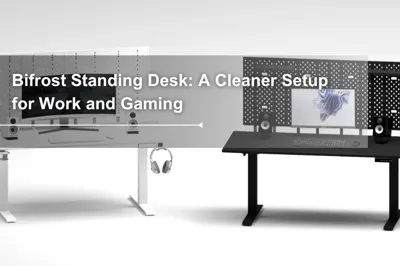
Build your setup around a clean, expandable foundation with the Dezctop Bifrost Series, designed to keep gaming gear, lighting, and cables organized.


Retro Arcade: Nostalgia and Party-Ready Layouts
Retro rooms are the most social of the five styles. Instead of one player facing a screen, the layout invites people in. Think arcade cabinets, classic consoles on open shelves, and seating arranged for spectating and trash talk.

Get the look:
- Color: bold primaries or warm 80s and 90s tones; vintage posters do a lot of the work.
- Lighting: warm ambient light plus a jukebox-style or marquee accent piece.
- Key furniture: open shelving for consoles and cartridges, a mix of chairs and floor cushions arranged in a semi-circle.
- Where the money goes: one anchor piece, such as an arcade cabinet or a CRT setup for authentic retro play.
If you have the square footage, add an interaction zone: a dartboard, a foosball table, or a wall of framed game boxes people can browse between rounds. Retro style rewards imperfection, so thrifted finds and hand-me-down consoles fit right in, often better than anything new.
Cozy and Kawaii: Soft Colors, Soft Textures
Not every gaming room needs to look like a server farm. The cozy-kawaii direction leans into pastels like pinks, lavenders, and soft creams, then layers in texture: plush rugs, fluffy cushions, rounded shapes. It's a room designed to lower your shoulders the second you walk in.

Get the look:
- Color: two or three pastels on a light base; pink and lavender are the classic pairing.
- Lighting: warm-white string lights or a soft pink LED glow. Nothing harsh or cool-toned.
- Key furniture: a pastel or white desk setup, matching peripherals (keyboards and mice now come in full pastel lines), a chair with soft upholstery.
- Where the money goes: textiles. A good rug, a throw blanket, and a few plush cushions transform the room for less than most lighting kits.
This style is one of the most budget-friendly to pull off, because the atmosphere comes from soft goods and color discipline rather than tech. Small figurines and rounded desk accessories finish the look without cluttering it.
Anime and Fandom Themes: Make It Yours
A fandom room is less about a color scheme and more about display strategy. The goal: showcase your collection of figures, posters, special editions, and plushies so it looks curated rather than piled.

Get the look:
- Color: pull your palette from your favorite series' key art so walls and collection feel unified.
- Lighting: LED strips inside display cases or under floating shelves to spotlight figures.
- Key furniture: floating shelves at varied heights, a glass-front display case for premium pieces, a poster wall with consistent framing.
- Where the money goes: display hardware. Cases protect figures from dust and sunlight, which fades printed boxes and painted details over time.
The strongest fandom rooms edit ruthlessly. Rotate pieces seasonally instead of displaying everything at once. A shelf with breathing room looks like a gallery, while a packed shelf looks like storage.
Play-Focused Gaming Room Ideas
Your visual style determines how the room looks, but the way you play should shape its layout. The following setups begin with a specific gaming habit or piece of equipment, then build the room around it.
Competitive FPS Training Room

If you’re an avid FPS player, you’ll want plenty of room for wide mouse movements and as few visual distractions as possible. A tenkeyless keyboard frees up more desk space, while an oversized desk mat gives you a larger, more consistent surface for aiming.
Get the look:
- Color: dark or neutral tones with one restrained accent color to keep visual noise low.
- Lighting: steady ambient light and soft bias lighting behind the monitor; keep animated RGB effects outside your direct field of view.
- Key furniture: a wide, stable desk, a centered monitor or monitor arm, and an adjustable chair that lets you sit close to the controls.
- Where the money goes: the display and input setup. Prioritize a responsive monitor, a reliable mouse, and enough uninterrupted desk space before adding decor.
Flight Command Setup

For a more realistic flight simulation experience without rebuilding the entire room, try a three-monitor setup or a single ultrawide curved display. Either option can create a wider field of view and make the cockpit feel more immersive.
Get the look:
Color: charcoal, deep navy, or matte black paired with warm wood or subtle metallic details.
Lighting: dim, indirect lighting with a small task light for the keyboard and controls; avoid reflections across the displays.
Key furniture: a wraparound or U-shaped desk, a triple-monitor stand or ultrawide display, and side mounts for a joystick and throttle.
Where the money goes: the display and flight controls. A wider field of view and well-positioned HOTAS controls add more to the experience than decorative cockpit pieces.
Tactical Co-op Room

Sharing a love of gaming with your partner makes the experience even better, whether you’re teaming up or battling it out. The defining feature is a two-person desk setup, with a shared charging station for headsets and controllers in the center. With enough space, you can also add a small lounge area for taking breaks and keeping snacks close by.
Get the look:
Color: one shared neutral palette, with a different accent color on each side to give both players a sense of ownership.
Lighting: coordinated ambient lighting across the room, plus separate task lighting that each player can adjust.
Key furniture: a two-person desk or matching side-by-side desks, two supportive chairs, and a central charging and storage station.
Where the money goes: desk width, seating, and power management. Both players need enough room and outlets without creating a crowded center zone.
Moody Home Theater Gaming Room

A gaming setup doesn’t have to revolve around a desktop monitor. A large projector screen can make cinematic and story-driven games feel even more immersive. Pair it with a comfortable high-back recliner, and you have an ideal setup for a relaxing Friday night gaming session.
Get the look:
Color: charcoal, dark navy, and warm wood tones that keep attention on the projected image.
Lighting: dimmable wall or floor-level lighting that can stay on during play without washing out the screen.
Key furniture: a large projection screen, a comfortable high-back recliner, and a low media console for the console, speakers, and controllers.
Where the money goes: the projector, screen, sound system, and light control. Blackout shades can improve the viewing experience more than extra decorative lighting.
Layout Ideas for Small Rooms, Corners, and Shared Spaces
You don't need a spare room to have a real gaming room setup. Some of the best-looking spaces online are corners of bedrooms and converted closets.
Small Room and Bedroom Corner Setups
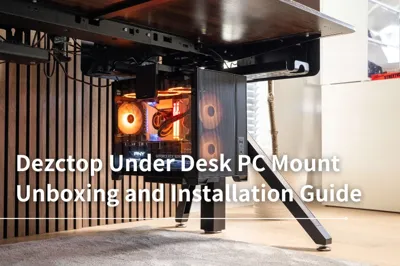
Think vertical. Wall-mounted shelves, pegboards for headsets and controllers, and a monitor arm reclaim more usable space than any furniture swap. A compact desk against one wall, with storage going up instead of out, keeps the floor clear. An under-desk PC mount can free up even more room if your tower is currently sitting on the floor or desktop.
- Use a rug or lighting change to visually separate the gaming zone from the rest of the room.
- Choose closed storage for clutter, open shelves only for display-worthy items.
- A converted closet nook, with doors removed, interior painted dark, and a floating desk surface installed, is one of the highest-impact small-space moves available.

Gaming Room Essentials: The Gear Behind Every Style
Style determines how your room looks; the essentials determine how it feels to use every day. Whichever direction you pick, the same core checklist applies:
| Essential | What it does | What to look for |
|---|---|---|
| Display | Your window into the game | Fast refresh rate for PC; size matched to viewing distance for console/TV |
| Seating | Supports hours of play | Adjustable height and lumbar support; bean bags or floor chairs for console lounging |
| Desk | Anchors a PC or hybrid setup | Stable surface, enough depth for your monitor distance; height adjustability is a nice-to-have for long sessions, and you can browse standing desk options here if that's on your list |
| Audio | Immersion and communication | A solid headset outperforms budget speakers at the same price |
| Lighting | Sets the mood, reduces eye strain | Ambient light behind or beside the screen; avoid gaming in total darkness |
| Storage | Keeps the style intact | Shelving or cabinets with airflow, since consoles and PCs need clearance to vent |
| Cable management | Protects the whole look | Sleeves, clips, and an under-desk power strip |
One universal rule across every style: leave your console or PC room to breathe. Enclosed cabinets with no airflow shorten hardware life, no matter how clean they look.
Common Gaming Room Setup Mistakes
Dual-Monitor Setup Mistake
A lot of people plan a dual-monitor setup by placing both screens evenly across the center of the desk. The problem is that this often leaves the gap between the monitors directly in front of you.
A better setup is to treat one screen as your main gaming display and the other as a secondary monitor. Keep the main screen centered with your chair, keyboard, and mouse, then place the second screen off to the side for Discord, guides, stream monitoring, or system information.
A Quick Note on Lighting
A practical gaming room should let you control at least three lighting layers separately:
- Steady ambient lighting for the room
- Soft bias lighting behind the monitor or TV
- RGB lighting, display cabinet lights, and game-synced effects
Keeping them separate gives each layer a clear job. Ambient lighting keeps the room comfortably lit, bias lighting reduces the harsh contrast between a bright screen and a dark background, and RGB or synchronized effects add atmosphere without becoming your only source of light.
Once the layout and essentials are in place, the desk becomes the foundation that holds everything together. The Dezctop Bifrost Series is built for multi-display gaming setups, organized accessories, and future upgrades.
Tag
Dezctop