Small Home Office Ideas: 12 Ways to Save Space Around Your Desk

Small home office ideas that save space: the right desk size, wall storage, monitor arms, under-desk storage and layouts for corners, closets and shared rooms.
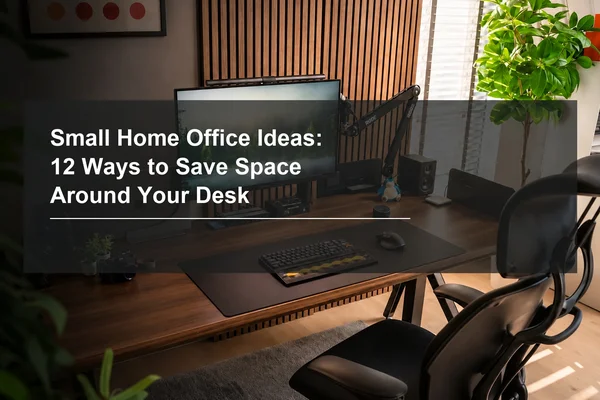
Table of Contents
Quick Answer
The best small home office ideas make every inch work twice: choose a desk sized to the space you measured, move storage onto the wall and under the desk, mount your monitor to free up desktop depth, and get your PC, bags and cables off the floor. A height-adjustable desk lets one small footprint work for both sitting and standing. Each idea below also says when it may not suit your space, and the problem table near the end helps you pick the first one or two to try.
Key Points
· Measure the space before you buy anything: include the room your chair needs to roll back and the path around the desk.
· Pick the spot before the furniture: corners, closets and shared rooms can all hold a small office.
· Use vertical space: a wall pegboard or shelves hold what drawers would otherwise take.
· Free the floor: mount the PC, hang bags under the desk and hide the power strip in a tray.
How Do You Set Up a Home Office in a Small Space?
Start by measuring the space and picking a spot for the desk (see the layout options below), then choose the smallest desk that still fits the work you do most, such as your monitor and keyboard, and plan storage on the wall and under the desk instead of beside it.
Measure the width and depth of the space. If the desk will sit against a wall, note where the outlets are so you can plan the cables.
The desk's footprint is only part of the space it needs. Before you buy, check the clearance around it:
· Behind the desk: enough room to pull your chair back and stand up without hitting a wall, the bed or another piece of furniture.
· Around the desk: a clear walkway, so you are not squeezing past the chair to reach the door, a closet or the window.
· Doors and drawers: room for the door to the room, a closet door and any nearby dresser or cabinet drawers to open fully without hitting the desk or chair.
A simple way to check all three is to mark the desk's outline on the floor with painter's tape, set your chair in place and move around it the way you would during a workday.
For desk sizes by desk type, see our Desk Dimensions Guide.
A small home office setup works when you decide what has to be within reach and what can live somewhere else. Write down what you use every day, such as a laptop, monitor, notebook and headphones, and what you use only now and then. Daily items stay on the desk or an eye-level shelf; occasional items go higher on the wall or into a container, and anything you rarely use can live outside the room.
12 Small Home Office Ideas That Save Space
These home office ideas for small spaces cover the desk, the wall above it, the layout of the room and the floor beneath the desk. Each one also notes its limits or when it may not suit your space.
1. Choose a Desk Size That Fits the Space
A smaller desk frees up floor space, but it still needs enough depth for your screen. OSHA, the U.S. Occupational Safety and Health Administration, describes the preferred viewing distance in its guidance on computer monitors as between 20 and 40 inches (50 and 100 cm) from your eyes to the screen, so check that a compact desk leaves room for your monitor and keyboard at that distance: sit in your chair at the taped outline and measure from your eyes to where the screen will sit.
Compare the full width and depth of the desk you want with the space and clearance you measured. If the space is narrow, start with the wall and under-desk ideas below, which do not depend on the desk's size.
Smaller is not always better, though: if your work needs two monitors or room to spread out paper, a very compact desktop will feel cramped, so size the desk for the work you do most.
2. Let One Desk Work for Sitting and Standing

In a small room, there is rarely space for a second work surface. OSHA's guidance on working postures notes that working in the same posture or sitting still for prolonged periods is not healthy, and suggests performing some of your tasks while standing. A height-adjustable desk is one way to do that without a second work surface; if you rarely work standing, a fixed desk of the same size takes up the same floor space.
Check the space above the desk as well as the floor: a wall shelf, a windowsill or a sloped ceiling can get in the way when the desk rises.
3. Go Vertical with a Wall Pegboard
Wall space is often the easiest storage to add in a small office. A pegboard above or beside the desk holds shelves, hooks and containers, so supplies move off the desktop without taking up floor space.
Because a wall-mounted pegboard attaches to the wall rather than to the desk, it works above any desk. The catch is that it needs free wall space and a wall you can drill into; if you rent, the hanging guide below also covers mounting a pegboard without drilling.
For more pegboard ideas and materials, see Top Pegboard Setup Ideas. When you are ready to put one up, see How to Hang a Pegboard.
4. Add a Desk Shelf for Small Items

A desk shelf keeps small items visible without covering your work area. Hang it on the pegboard at eye level, or use a small wall shelf above the desk if you do not have a pegboard, and keep it for things you reach for often, such as headphones, a speaker or a plant.
A shelf in your line of sight only helps while it stays sparse; once it fills up, it puts clutter right where you look all day.
5. Mount Your Monitor to Free Up Desk Depth

A monitor arm lifts the screen off the desktop, which matters most on a shallow desk. You can push the monitor back toward the wall to reach a comfortable viewing distance and use the space underneath for a notebook or keyboard. Whatever you mount it on, OSHA recommends putting the monitor directly in front of you, with the top of the screen at or slightly below eye level.
Before you buy an arm, check that the desk has an edge or grommet hole the clamp can grip and that your monitor has mounting holes on the back; a desk pushed flush against the wall may not leave room for the clamp.
6. Use the Corner
Corners are often wasted space in small rooms, and a corner or L-shaped desk turns that space into extra desk depth. OSHA notes that corners often provide more desk depth than a straight run of desktop, so the corner of such a desk is a good spot for a monitor in a tight office. A rectangular desk pushed into a room corner keeps its usual depth, but it still leaves the middle of the room and the walkway clear and puts two walls within reach for storage.
Corners can also be the darkest part of a room, so if yours is far from the window, plan for a desk lamp.
7. Turn an Unused Closet or Nook into a Compact Office
If you do not have a separate home office, you can turn an unused closet, alcove or under-stair nook into a compact workspace. Before setting it up, measure the width and depth and check for a nearby outlet. If the space is too shallow to keep a monitor at a comfortable viewing distance, use a laptop instead. A closet can be closed at the end of the workday to hide the workspace.
8. Place the Desk to Make the Most of Daylight

A desk near a window makes a small room feel brighter, but screen glare can get in the way. OSHA recommends placing the monitor perpendicular to the window.
In a small room, the only free wall may be the one under the window. If that is your situation, see Desk in Front of a Window for when that placement can still work and when it is better avoided.
9. Get Your PC Off the Floor

A desktop tower takes up floor space that a small room cannot spare. An under-desk PC mount holds the tower beneath the desktop, keeping the floor clear and the tower out of the way of your feet and chair.
If you work from a laptop, you can skip this one. If you use a tower, check that the mount supports your case size before you buy; for our own mount, the Under Desk PC Mount Installation Guide covers the installation steps.
10. Hang Bags and Headphones Under the Desk

Bags left on the floor make a small room feel cluttered. Under-desk hooks keep a backpack, tote or headphones within reach but out of sight.
Keep what hangs there light and clear of your knees and chair; a heavy bag is better on a wall hook by the door.
11. Hide the Power Strip and Cables

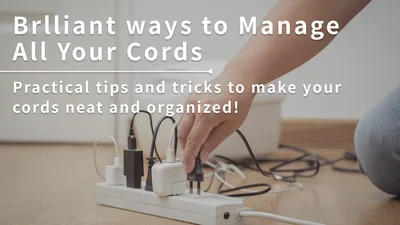
Visible cables make a small space look busy. Put the power strip in an under-desk tray and route the spare cable length into it, so only one cable runs to the wall. The catch on a height-adjustable desk is cable length: leave enough slack in that cable for the desk to rise without pulling it tight.
For the full step-by-step process, see How to Hide Cords on a Desk. For general principles, see Cable Management Tips.
12. Create Zones in a Shared Room
If your office shares a room with a bedroom or living area, give the work area a clear edge so work does not spread into the rest of the room. You can combine more than one of these:
· A rug under the desk and chair marks the work area on the floor.
· A desk lamp that you switch on when you start and off when you stop gives the work area its own light and a clear end to the day.
· A bookshelf or folding screen between the desk and the bed or sofa hides the desk from the rest of the room. It takes floor space of its own, so it suits a shared room with some space to spare.
· A desk divider marks where work ends on the desktop itself. It also gives you a surface for small organizers, which keeps the desktop clear.
How to Fit an Office into a Bedroom, Living Room or Closet
The right setup depends on the room you are working with, because each room has a different constraint.
In a Bedroom
In a bedroom, the goal is to keep work from spilling into the rest of the room. Place the desk against a wall away from the bed if you can, keep supplies on a wall pegboard rather than on the nightstand, and hide the power strip under the desk so the room still feels restful at night.
In a Living Room
In a living room, the desk shares space with everyone else. A rug or a desk divider gives the work area a clear edge, and under-desk hooks keep your bag off the sofa and floor. Choose a desk finish that matches the rest of your furniture so the office blends into the room, and if the desk faces the sofa, a folding screen can hide it at the end of the day.
In a Closet or Nook
In a closet or nook, start with idea 7, then solve depth and power: use a monitor arm to push the screen back if the desk edge leaves room for the clamp (idea 5), switch to a laptop if the space is still too shallow, and plan where the power strip will sit before you move the desk in.
What Should Every Small Home Office Have?
In a small room, the essentials that matter most are the ones that decide how much space the office takes up:
· A desk sized to the room, deep enough that, with your chair in place, the screen sits 20 to 40 inches from your eyes.
· A chair that tucks under the desk when you are not using it, so it does not block the walkway.
· A monitor arm if the desk is shallow, so the screen can sit farther back without a bigger desk.
· Storage on the wall and under the desk instead of a drawer unit beside it.
· One power strip in an under-desk tray, so cords stay off the floor.
If you are looking for a fuller equipment list rather than a space plan, see our Home Office Setup Guide.
How Do You Plan a Small Home Office Layout?
Many small office design ideas depend on where the desk goes, so pick the spot before you pick the furniture. A good small home office layout puts the desk where you can see the screen without glare, keeps a clear path to the door, and places storage on the wall above or beside the desk. Four placements to consider, and when each one fits:
· Against a wall (ideas 3 and 4): usually the most space-efficient choice; pick a wall near an outlet, and one you can drill into if you want storage above the desk.
· In a corner (idea 6): uses space that is often wasted; it adds monitor depth only with a corner or L-shaped desk, and a corner far from the window may need a desk lamp.
· Next to a window (idea 8): makes the room feel brighter and may be the only free wall; keep the monitor perpendicular to the window (an OSHA recommendation), which can help with glare.
· Away from the bed or sofa (idea 12): in a shared room, keeps work out of the space where you rest; mark the edge with a rug, a lamp, a bookshelf or a desk divider.
If you also want to consider feng shui, see our Feng Shui Guide to Office Desk Placement and Setup.
Small Office Ideas Checklist
Use this table to match each problem in your space with the idea that solves it. Find the one or two rows that describe your space and start with those ideas.
Problem | Idea | What to use |
No room to move around the desk | Clearance check before you buy (setup steps above) | A tape outline of the desk on the floor |
Not enough floor space | Right-sized desk (idea 1), PC off the floor (idea 9) | A desk sized to the measured space, under-desk PC mount |
No drawers | Wall and under-desk storage (ideas 3 and 10) | Wall pegboard, under-desk hooks |
Not enough desk space | Desk shelf (idea 4), monitor arm (idea 5) | Pegboard shelves, monitor arm |
Only a closet, nook or corner to work in | Corner (idea 6), closet or nook (idea 7) | Measure the opening and outlets; use a laptop if the space is too shallow for a monitor |
Window glare on the screen | Monitor perpendicular to the window (idea 8) | No extra gear; reposition the desk or monitor |
Messy cables | One power strip under the desk (idea 11) | Under-desk cable tray |
Work spills into a shared room | A visual boundary (idea 12) | Rug, desk lamp, bookshelf or desk divider |
Frequently Asked Questions
How do you make a small office at home?
Measure the space, including room for your chair and a clear path around the desk, choose a desk that fits it and plan storage on the wall and under the desk. Then mount your monitor, get the PC and cables off the floor, and place the desk so the screen is perpendicular to any window.
What should every home office have?
In a small space, focus on what saves room: a desk sized to the room that, with your chair in place, still lets the screen sit 20 to 40 inches from your eyes, a chair that tucks under it, a monitor arm if the desk is shallow, wall and under-desk storage instead of drawers, and a power strip tucked into an under-desk tray. For a fuller equipment list, see our Home Office Setup Guide.
What are some hidden home office ideas?
Turn a closet into a small office you can close off, fit a compact desk into an alcove, or use a corner of a living room and mark the work area with a rug, a bookshelf or a desk divider. Under-desk hooks and a cable tray keep bags, cables and the power strip out of sight.
What are some ideas for organizing my small office?
Store things by how often you use them: daily items on the desk or an eye-level shelf, occasional items higher on the wall or in a container, and anything you rarely use out of the room. Use vertical storage, under-desk hooks and a cable tray to keep the desktop and floor clear.
What size desk is best for a small home office?
Choose a desk that fits the space you measured, with room to pull out your chair and walk past it, and that still holds what you work with most, such as your monitor and keyboard, at a comfortable viewing distance.
Dezctop Desks and Accessories for a Small Home Office

Several of these ideas involve the desk itself: one footprint for sitting and standing (idea 2), a PC off the floor (idea 9), bags under the desk (idea 10) and zones on the desktop (idea 12). Our Revon standing desks support all four: Revon adjusts between sitting and standing height so one footprint does both jobs, has pre-drilled mounting holes for the Under Desk PC Mount, and has a rail system for DivMag dividers and hooks that move storage off the desktop and the floor. Its smallest size is 47.2 x 27.6 in, so measure your space first; if your space is narrower or shallower than that, a smaller desk will fit better.
Revon Elite and Revon Pro: Home Office Standing Desks With a Built-In Accessory Rail
· Sizes: Revon Elite and Revon Pro each come in five desktop sizes: 47.2 x 27.6, 47.2 x 31.5, 59.1 x 27.6, 59.1 x 31.5, and 70.9 x 31.5 in.
· Height range and motors: Revon Elite adjusts from 25.6 to 51.2 inches with a 3-stage frame; Revon Pro adjusts from 27.6 to 47.2 inches with a 2-stage frame. Both use dual motors, one in each column.
· Load: rated for 264 lbs (120 kg), evenly distributed.
· Controls: 2 memory heights, a digital height display, dual collision detection on Revon Elite and anti-pinch protection on Revon Pro; the control panel attaches to any magnetic surface, so you can place it on the left or the right, whichever side is free against a wall or in a corner.
· Noise: 50 dB or less while operating, which matters when the desk shares a bedroom or living room.
· Accessory rail: a built-in tabletop rail for DivMag dividers, the Under Desk Hook and the Cable Management Tray.
· Mounting holes: pre-drilled for the cup holder, headset holder and Under Desk PC Mount.
· Standards: tested to the ANSI/BIFMA X5.5 office furniture standard and certified to the California CARB-P2 low-formaldehyde standard.
DivMag Desk Divider and Under Desk Hook: Zones and Storage for Revon
· Desk Divider: clips into the Revon tabletop rail system, measures 15 x 2.8 x 11.8 in, holds up to 3.3 lbs (1.5 kg) each and works with DivMag magnetic accessories. Each package includes 2 dividers, and each divider has three 1.8 x 0.4 in cable routing holes.
· Under Desk Hook: locks into the Revon rail without tools and holds up to 11 lbs (5 kg) each, or 22 lbs (10 kg) with two used together. It is designed exclusively for Revon desktops.
D-Board for Wall Mount: Vertical Storage Above Any Desk
· Two panels per package, each 14.2 x 22.8 in and holding up to 11 lbs (5 kg).
· Works with D-Board shelves, hooks and containers.
· Comes with drywall anchors, screws and a level tool for mounting.
· Available in black and white.
View the D-Board for Wall Mount
Under Desk PC Mount and Cable Management Tray: A Clear Floor
· Under Desk PC Mount: holds up to 44.1 lbs (20 kg) and fits Mid-Tower, Micro-ATX and Mini-ITX cases within its supported size range. On Revon, it uses the pre-drilled mounting holes.
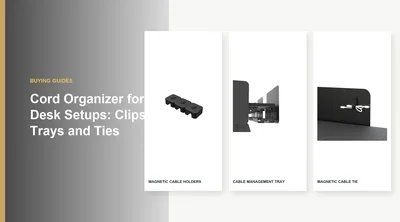
· Cable Management Tray: the under-desk tray from idea 11; it twists into the Revon rail without tools, fits a 6-outlet power strip, has 13.2 x 5 x 3.9 in of usable space inside and holds up to 4.4 lbs (2 kg).
To see how the tray mounts on a Revon desk's rails and where the Desk Divider fits, see How to Manage Cables on a Revon Standing Desk.
Tag


Dezctop