How to Fix Tech Neck: 6 Easy Exercises and Workspace Tips

Learn how to fix tech neck with 6 easy stretches, posture habits, and workspace tips that help reduce neck strain from phones, laptops, and long desk work.
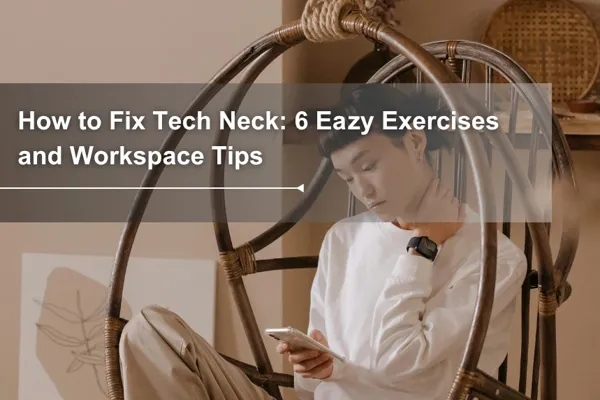
Table of Contents
A few years ago, tech neck showed up in my life and completely took over. Any time my posture slipped even slightly forward, the pain was immediate: like a bag of potatoes sitting on my cervical spine. My shoulders were locked up. I was working from a single-seat sofa, and the combination of bad posture and a screen at the wrong height had done a real number on me.
My physical therapist didn't sugarcoat it. She told me that if I didn't make changes, the damage to my cervical spine could become permanent. That got my attention.
It all traces back to the same thing: too many hours with your head tilted forward at a screen. The good news is that the fix is more straightforward than most people think, and a lot of it has nothing to do with stretching.
How to Fix Tech Neck Quickly
To fix tech neck, start with the cause: your head is spending too much time forward and down. The most effective approach is to combine simple neck and upper-back exercises with a workspace setup that keeps your screen closer to eye level.
A good starting plan is simple: raise your screen, keep your keyboard and mouse at a height where your elbows stay relaxed, practice chin tucks and chest-opening stretches daily, and take short movement breaks before your neck starts to tighten. Stretching can relieve the tension, but your screen height, desk height, and daily habits decide whether the pain keeps coming back.
What Is Tech Neck (and Why Does It Keep Coming Back)?
Tech neck: a pattern of neck and upper back strain caused by prolonged forward head posture, typically from looking down at screens, phones, or laptops for extended periods. Left unaddressed, it develops into a broader muscle imbalance pattern known as upper crossed syndrome (UCS) — where some muscles lock up tight while others stop firing altogether, making good posture feel genuinely hard to maintain.
Here's the physics that makes it feel worse than it sounds.
Your head weighs about 10–12 pounds in a neutral position. But the moment it tilts forward, the effective load on your cervical spine increases dramatically. According to a widely cited study published in Surgical Technology International by Dr. Kenneth Hansraj, tilting your head forward just 15 degrees doubles the load on your neck.
At 45 degrees, a common angle when looking at a laptop on a desk, your neck muscles may be working against the equivalent of nearly 49 pounds of force, roughly comparable to the weight of a fully packed carry-on suitcase.

And this isn't an occasional problem. According to DataPortal's Digital 2024 Global Overview, the average person spends over 7 hours per day on screens. That's 7 hours of your neck muscles fighting extra load, every single day.
The reason tech neck keeps coming back, even when you stretch, is simple: the environment that caused it hasn't changed. You can release the tension all you want, but if you go back to the same screen position, the same chair, the same angle, the cycle restarts.
Signs You Have Tech Neck
Tech neck often starts quietly. Most people don't connect the dots until a few of these show up at once:
A headache that starts at the back of your skull and creeps upward by afternoon, different from a stress headache, more like pressure building from below
Neck and shoulder tightness that doesn't fully release overnight, so you wake up already halfway sore
Your head sits noticeably forward when you catch your reflection, ears in front of your shoulders rather than above them
Eyes that feel strained or tired earlier than they used to, even on days with normal screen time (the neck muscles and visual system are more connected than most people realize)
Arm heaviness or occasional tingling in the fingers, worth getting checked if this comes up regularly, as it can signal pressure on the nerves that run through the neck
Q: Is tech neck permanent? A: No. In most cases, tech neck is reversible with consistent habit and ergonomic changes. The earlier you address it, the faster the recovery. Severe or long-standing cases may benefit from physical therapy.
How to Relieve Tech Neck: 6 Exercises That Help
These six movements address the muscles most affected by forward head posture, the neck extensors, upper trapezius, and chest. Do them daily, ideally once in the morning and once after your workday.
Note: If any of these cause sharp pain or worsen existing discomfort, stop and consult a doctor, physical therapist or physician.
1. Chin Tuck Exercise
What it does: Repositions the head directly above the spine. Strengthens the deep cervical flexors, the muscles that are chronically underused when your head drifts forward.
How to do it:
Sit or stand tall, eyes looking straight ahead.
Without tilting your head up or down, gently draw your chin straight back, as if you're trying to make a double chin.
Hold for 5 seconds. Relax. Repeat 10 times.
A note on the "double chin" look: Yes, this motion creates a double chin effect in the mirror. That's actually a sign you're doing it correctly. When your head is in proper alignment, balanced directly above your spine, the chin naturally retracts. If it looks unflattering, that's your neck finally finding its neutral position. The discomfort of correct posture fades. The discomfort of tech neck doesn't.
A common mistake to avoid: As you do this movement, keep your head and neck moving horizontally the whole time. Think of it as sliding your head straight back, not tilting your head upward or forcefully squeezing your chin into your neck. Although the motion may create a slight contraction under the chin, forcing a “double chin” can shift your posture out of alignment.
2. Shoulder Blade Squeeze (Scapular Retraction)
What it does: Counteracts the rounded-shoulder pattern that accompanies forward head posture. Activates the rhomboids and lower trapezius.
How to do it:
Sit or stand with arms relaxed at your sides.
Draw your shoulder blades back and down, imagine trying to hold a pencil between them.
Hold for 5 seconds. Release. Repeat 10–12 times.
3. Neck Side Stretch (Upper Trapezius Stretch)
What it does: Releases the upper trapezius, the muscle that runs from your neck to your shoulder and is almost always tight in tech neck cases.
How to do it:
Sit tall. Tuck your right hand under your right thigh to anchor the shoulder.
Gently tilt your head toward your left shoulder, using your left hand to add very light additional stretch.
Hold for 20–30 seconds. Switch sides. Repeat 2–3 times per side.
4. Chest Opener
What it does: Stretches the pectorals and anterior shoulders, which shorten when you hunch forward all day.
How to do it:
Stand tall. Clasp your hands behind your back (or hold a towel between them).
Straighten your arms slightly and lift your chest upward.
Hold for 20–30 seconds. Breathe deeply. Repeat 2–3 times.
5. Wall Pectoral Stretch (Corner Chest Stretch)
What it does: Targets the pectoralis major more directly than the Chest Opener, using the wall to anchor the stretch and allow a greater range of motion. One hand on the wall, body rotates forward and away.
How to do it:
Stand side-on to a wall. Place your right palm and forearm flat against the wall at shoulder height, elbow bent at roughly 90 degrees.
Step your right foot forward into a slight lunge position.
Slowly rotate your chest away from the wall and lean gently forward, until you feel a stretch across the right side of your chest. You can add a slight body rotation to deepen it.
Hold for 10 seconds. Repeat 10–12 times. Switch to the left side.
Corner variation: If you have access to a room corner, place both forearms on the two walls simultaneously and lean your chest into the corner. This stretches both sides at once and is especially good first thing in the morning.
6. Open Book Stretch (Thoracic Rotation)
What it does: Mobilizes the thoracic spine (mid-back), which stiffens significantly in people with tech neck and UCS. A locked-up thoracic spine forces the neck and lower back to compensate, so freeing it up here relieves pressure across the whole chain.
How to do it:
Lie on your side with your knees stacked and bent at roughly 90 degrees (a pillow between your knees can help).
Extend both arms straight out in front of you at chest height, palms together.
Slowly lift your top arm and rotate it open toward the ceiling and behind you, like opening a book. Let your gaze follow your hand.
Hold at the end range for 2–3 seconds, then slowly return. Repeat 8–10 times per side.
The goal is rotation in your upper back, not your lower back. If your hips are rolling with the movement, reduce the range until only your chest is turning.
Why Your Workspace Might Be the Real Problem
Here's something the stretch videos don't tell you: if your monitor is too low, no amount of movement will fully fix your neck.
The exercises above release tension that has already built up. But if you return to the same screen position after doing them, the tension rebuilds within hours. The root cause, a screen that forces your head forward and down, hasn't changed.
Check your current setup against this table:
Setup Element | Common Problem | What It Should Be |
Monitor height | Screen too low, chin points down | Top of screen at or just below eye level |
Monitor distance | Screen too close or too far | Roughly an arm's length away (60–70 cm) |
Desk height | Desk too high or too low | Elbows at ~90° when typing, wrists neutral |
Chair | No lumbar support, seat too low | Feet flat on floor, back supported |
Laptop use | Screen and keyboard at same level | Use a stand + external keyboard |
Most people find that their screen is sitting 10–15 cm too low. That's enough to push your head forward all day, regardless of how good your intentions are.
How to Set Up Your Desk to Prevent Tech Neck
Getting the setup right is a one-time effort that pays back every single day.

Monitor Height
The top edge of your screen should sit at or just slightly below your eye line.
If you're using a laptop, this means the screen will be too low unless you raise it. A laptop stand paired with an external keyboard solves this completely.
Position the monitor about 60–70 cm from your face, close enough to read clearly without leaning in.
A slight upward tilt of 10–20 degrees can help reduce glare.
Desk Height and the Sit-Stand Routine
Desk height matters as much as monitor height. When your desk is set correctly, your elbows rest at roughly 90 degrees when typing, and your wrists stay neutral, not bent upward or downward.
A height-adjustable desk makes this much easier to maintain, especially when you switch between sitting and standing. The ability to move the entire surface, not just the monitor, means your arms, shoulders, and neck stay in alignment in both positions.
One thing worth knowing: if you set your desk to the right height for your arms and then find the screen feels too low, that's a sign you need a monitor arm or stand to bring the screen up to eye level independently, vice versa. If you've been raising your desk to chase a comfortable screen height, your shoulders are probably working harder than they need to. Desk height is for your arms. Screen height is a separate adjustment.
A systematic review published by the Cochrane Collaboration found that sit-stand desks can reduce daily sitting time by more than 80 minutes, and CDC data indicates that alternating between sitting and standing every 30 minutes is associated with a reduction in back pain of up to 54%. (Cochrane /CDC NIOSH)
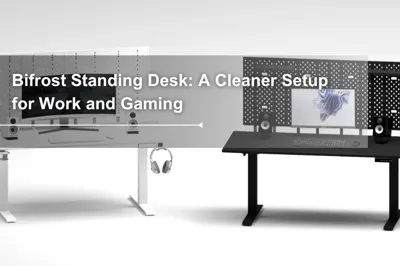
If you're looking for a desk that adjusts smoothly across a wide height range, the Dezctop sit-stand desk collection is worth a look. Both the Bifrost andRevon series are designed to support this kind of daily posture flexibility, quiet motors, precise height memory, and a range that works for both sitting and standing.
The goal isn't to stand all day. It's to stop staying in any fixed position for too long.
For what it's worth: my own turning point came when I swapped my single-seat sofa for a proper ergonomic chair and raised my laptop to eye level. Two changes. That was enough to make a real difference in the neck and shoulder pain I'd been dealing with for months. It was also the first time I genuinely understood how much the tools around you affect how your body feels, not just in the moment, but over time.
Don't Forget: How You Sleep Matters Too
You can do everything right during the day and still wake up with a stiff neck. Sleep position is one of the most overlooked contributors to tech neck, and one of the easiest to adjust.
Stomach sleeping is the most problematic. It forces your neck to rotate to one side for hours, creating sustained strain on the cervical joints and muscles. If you're a stomach sleeper dealing with persistent tech neck, this is worth changing.
Side sleeping is generally fine, but pillow height is critical. Your pillow needs to fill the gap between your shoulder and your ear, keeping your cervical spine horizontal, not angled up or down. A pillow that's too thin lets your head drop; one that's too thick pushes it up. Either way, your neck pays for it by morning.
Back sleeping is the most neutral position for your spine. Use a pillow that supports the natural curve of your neck without pushing your head too far forward. A thick, fluffy pillow that props your chin toward your chest is doing the same thing your laptop does all day.
One more thing: scrolling on your phone while lying down is essentially tech neck in slow motion, just at a different angle. If you're reading in bed, hold the phone up rather than tilting your head down, or better yet, give yourself a screen-free wind-down window before sleep.
Build a Daily Habit That Keeps Tech Neck Away
The exercises help. The desk setup helps. But neither works without consistency. The final piece is making movement a default part of your workday, not something you remember to do when the pain gets loud enough.
A simple structure that works:
Every 30 minutes: Stand up, look away from the screen for 20 seconds, do a quick shoulder roll or chin tuck.
Every 90 minutes: Take a proper break, walk, stretch, step away from the desk entirely.
End of workday: Run through the 4-exercise sequence above. It takes about 5 minutes.
Set a phone reminder or use your computer's built-in break tool if you need the nudge.
The underlying principle is straightforward: your best posture is your next posture. No single position is perfect forever. The goal is to keep moving, keep adjusting, and make it easier for your body to find its neutral, both during the day and in how you've set up the space around you.
Tech neck is common. It's also very fixable. Start with the chin tuck, check your screen height, and go from there.
Disclaimer: This article is for informational purposes only and does not constitute medical advice. If you are experiencing persistent, severe, or worsening neck pain, particularly with arm numbness, tingling, or weakness, please consult a qualified healthcare professional.
Tag




Dezctop